What does this integration do?
This integration will allow you to easily showcase your best business reviews on Wordpress via a plugin.
Introduction to Repuso

Easily connect Repuso with Wordpress
- Install ‘Repuso’ plugin through the Wordpress plugin directory - or - manually download and upload the plugin folder to the /wp-content/plugins/ Wordpress directory
- Activate the plugin through the ‘Plugins’ screen in Wordpress
See everything at a glance
The Repuso dashboard inside Wordpress shows your KPIs (average rating, total reviews, new this month), AI sentiment insights, latest reviews and your trial status, all without leaving the WP admin.
No need to leave Wordpress to manage Repuso
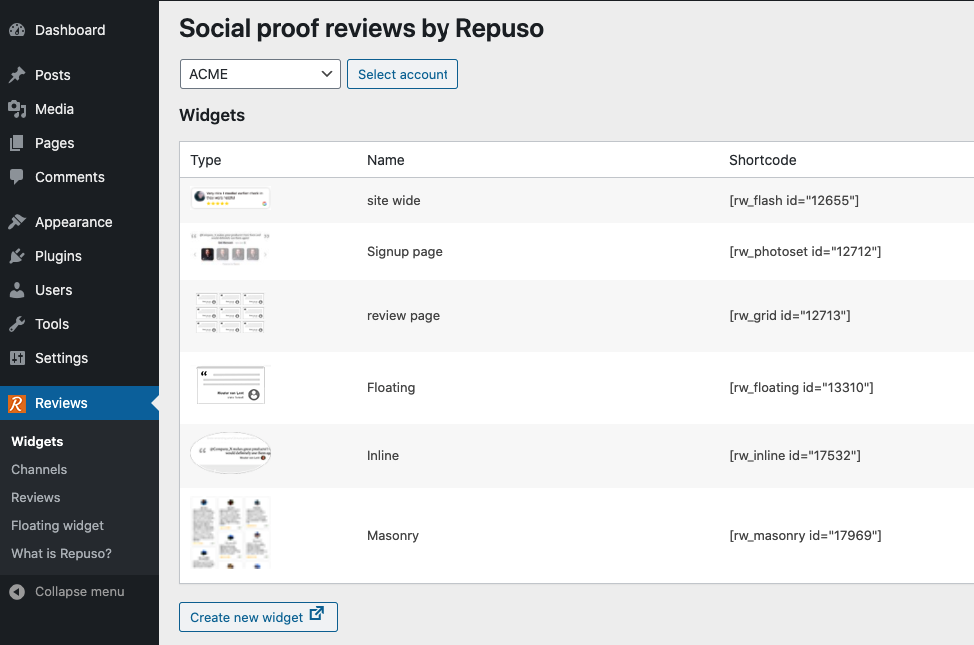
- Go to Reviews -> Widgets to for a list of your widgets and shortcodes
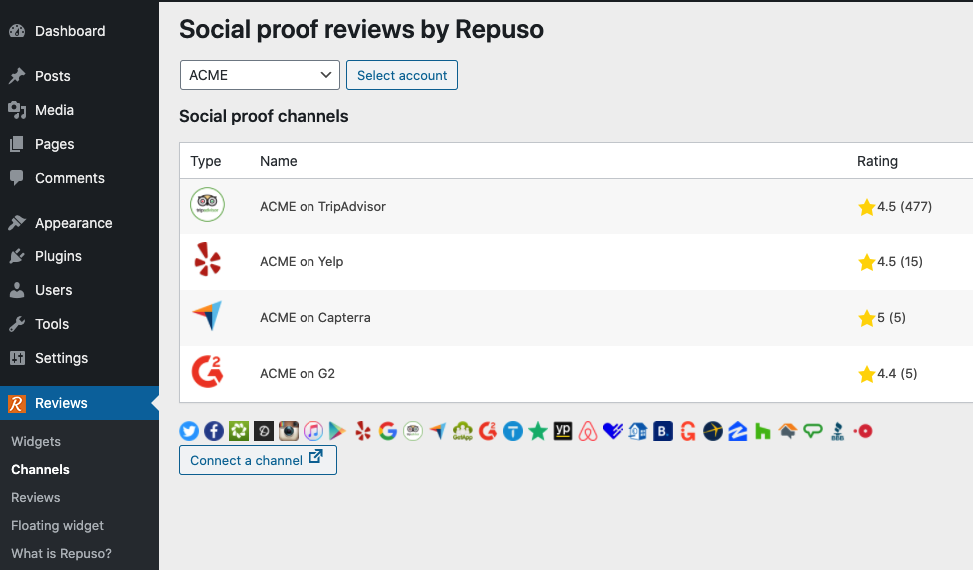
- Go to Reviews -> Channels to for a list of your connected channels
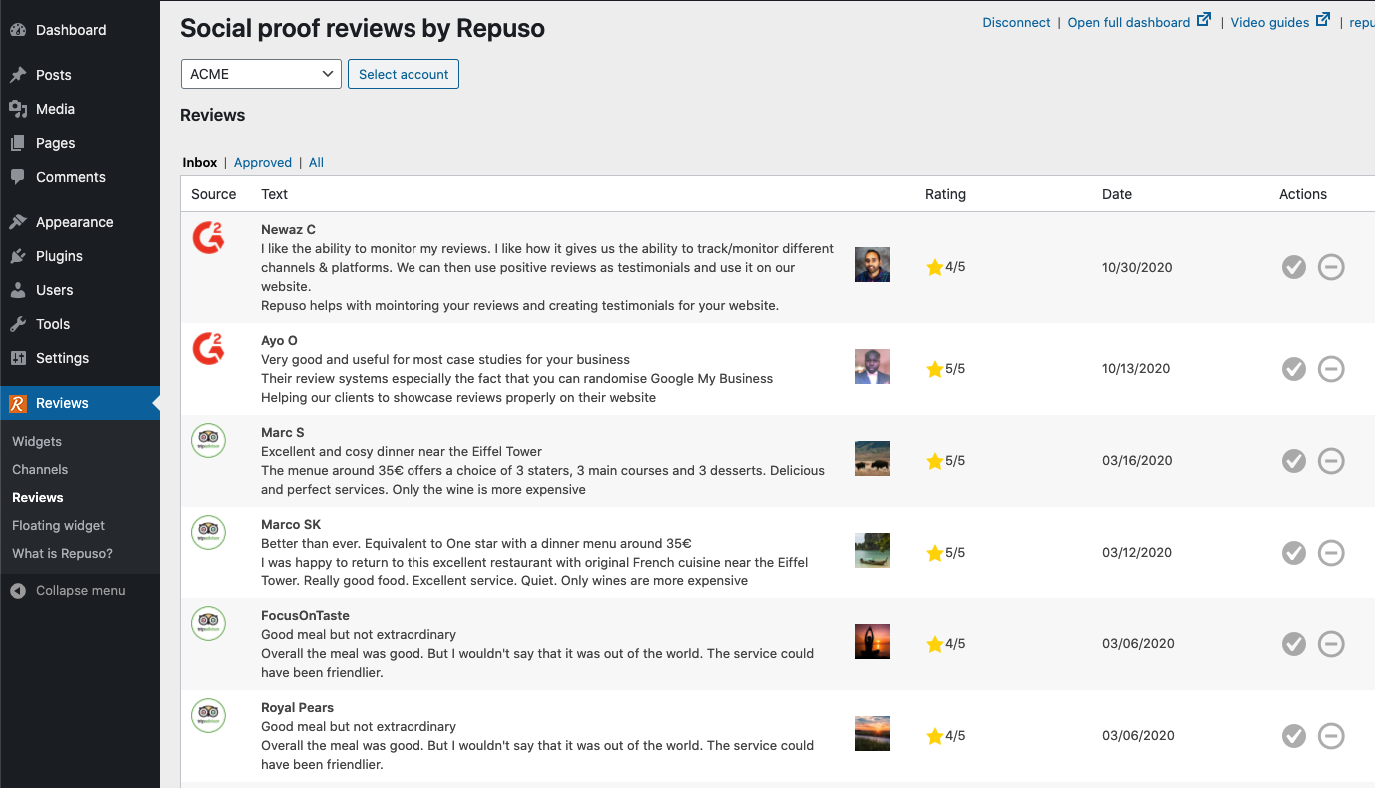
- Go to Reviews -> Reviews to for a list of your reviews. You can approve or dismiss the reviews
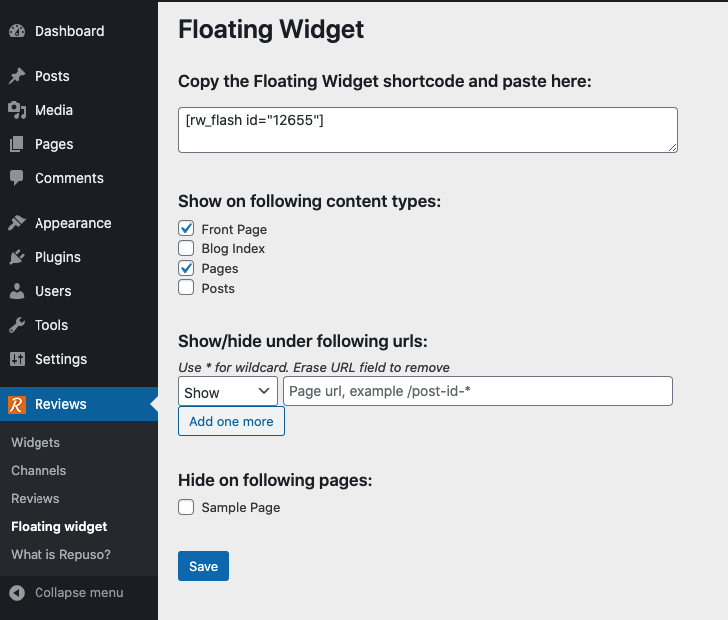
Implement Floating Widget with smart rules
- Go to Reviews -> Floating widget to paste your shortcode and choose where to display the floating widget
Use shortcodes inside Wordpress for embedded Widgets
- Copy them on your Wordpress pages or posts
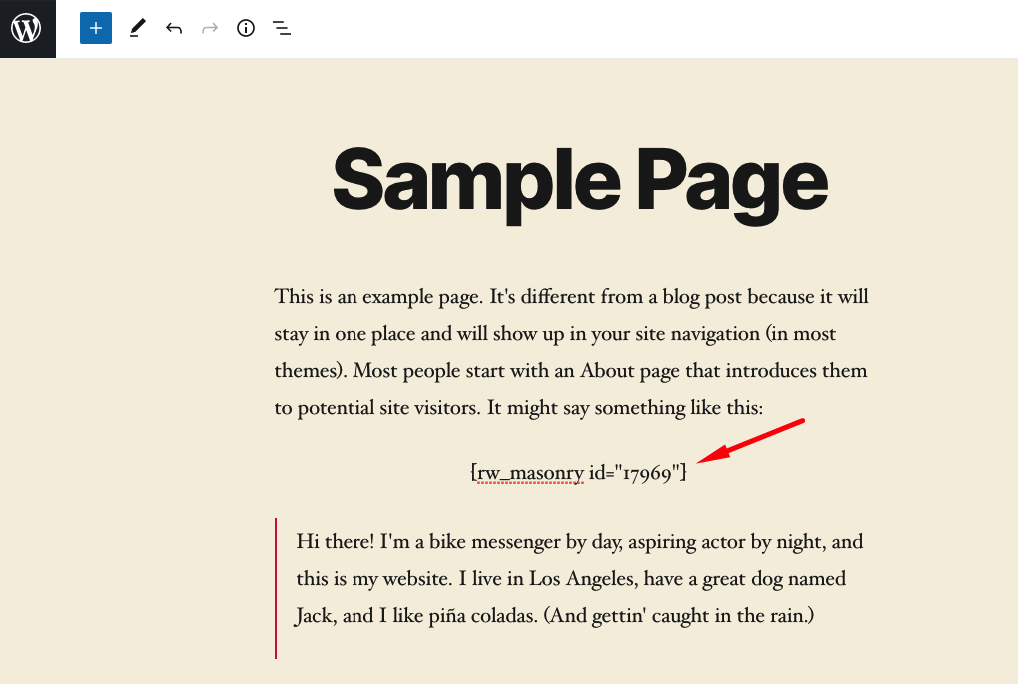
Example widgets on a page